
Find My Phone With GPS1.0 - Google Play
You'll be able to see results in few seconds.
Publisher Description
4/16/2016 just wanted to thank everyone that has tried my app. And a special thanks for all that took the time to write a review! It makes all the work woth it...
4/13/2016 CHECK OUT PRO VERSION YOU CAN NOW CHOOSE THE WORD YOU WANT TO FIND YOUR PHONE!
Please donate to my work by getting the pro version. Pro version has more features.
For those who have been asking for a way to take a picture and send it to your email. It is finally here. Check it out. Find my phone with pic and email!
Please check out the Pro version. You can always download one of the survey apps and the pro would be paid for in a week.
Survey apps give you real money to buy apps on Google play store.
Pro version is now active. Please take a look. With pro you get phone number last dialed, number, durations. You also get beep and flash. Beep makes a tone if you simply misplaced your phone. Flash lights up led notification in yellow if your device supports colors.
Phone stolen? Lost your phone? Find it by texting your phone "Findmyphone"
It is just that simple. If you want to know where you lost your phone, text your phone from another phone the word "findmyphone"
The phone you texted the word "findmyphone" from, will be sent the longitude and latitude of your device on Google maps in real time.
So now you have texted the word "findmyphone" to your phone and you received the text back from your lost phone with the link to its exact location. Click on the link, open google maps. I added altitude, speed, cell id and network location. Altitude is in meters.
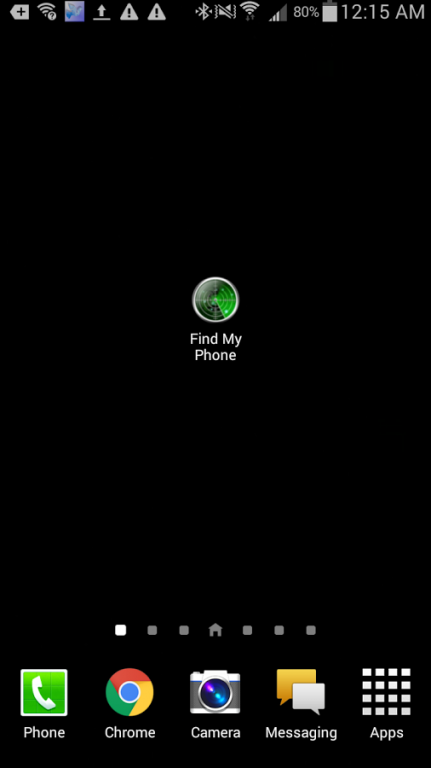
Once you download the application click on the icon. Now your phone is ready to receive the text "findmyphone". The first time you click on the app to activate it the app will send a text to the last person you text. This is a bug on some devices. To avoid sending a text to the last person you text when activating the app. text yourself first.
If you have a task killer/manager remember not to let this app be closed.
We never collect any information from you and all permissions are ONLY to run the application.
Make sure GPS is always on. GPS being on should not reduce battery life. If GPS being on always does reduce battery life, it will be minimal. Worth the amount of finding your phone.
IMPORTANT: the key word findmyphone can not even have a space behind it or the app. will not work.
Example: If you are typing findmyphone and you use predicted text it will put a space behind the word findmyphone and the app. will not work.
You want see the space so backspace one character to make sure the space is not there.
I am working on a pro version that is so much better. It has lots more information and other options like beep to find phone and flash to draw attention to your phone if it is for example dark and you lost your phone.
If there are any other options you may want email please. geektriad@gmail.com
Thanks for the downloads and please give 5 stars if you like this version even though on some devices you are getting the %LOCN with no information on location net. I have fixed that on the pro version :)
About Find My Phone With GPS
The company that develops Find My Phone With GPS is Geek Triad. The latest version released by its developer is 1.0.
To install Find My Phone With GPS on your Android device, just click the green Continue To App button above to start the installation process. The app is listed on our website since 2016-02-09 and was downloaded 0 times. We have already checked if the download link is safe, however for your own protection we recommend that you scan the downloaded app with your antivirus. Your antivirus may detect the Find My Phone With GPS as malware if the download link to location.phone is broken.
How to install Find My Phone With GPS on your Android device:
- Click on the Continue To App button on our website. This will redirect you to Google Play.
- Once the Find My Phone With GPS is shown in the Google Play listing of your Android device, you can start its download and installation. Tap on the Install button located below the search bar and to the right of the app icon.
- A pop-up window with the permissions required by Find My Phone With GPS will be shown. Click on Accept to continue the process.
- Find My Phone With GPS will be downloaded onto your device, displaying a progress. Once the download completes, the installation will start and you'll get a notification after the installation is finished.
Program Details
System requirements
Download information
Pricing
Version History
version 1.0
posted on 2016-02-09
Added location accuracy and other bug fixes.,I am working on a pro version with lots more options if you like this one please 5 star me if you want some other options email me. geektriad@gmail.com,If you like please 5 stars.,We take pride in the fact ONLY permissions used are a part of the application.
version 1.0
posted on 2016-02-09
Disclaimer
Official Google Play Link
We do not host Find My Phone With GPS on our servers. We did not scan it for viruses, adware, spyware or other type of malware. This app is hosted by Google and passed their terms and conditions to be listed there. We recommend caution when installing it.
The Google Play link for Find My Phone With GPS is provided to you by apps112.com without any warranties, representations or guarantees of any kind, so access it at your own risk.
If you have questions regarding this particular app contact the publisher directly. For questions about the functionalities of apps112.com contact us.
